
Interactive Button
A button (an image or a HTML node for example) can be made interactive using the @zRegister decorator:
@zRegister('onPointerDown')private _handlePointerDown() { // Code to handle event}
this.instancewill target only the node(s) this behavior is attached to, whilstthis.zcomponent.nodeswill search through your project to target a node which may or may not have this behavior attached to it.
Custom interactive button Behavior
Section titled “Custom interactive button Behavior”This tutorial will walk you through creating an interactive button and activate a State or playing a Timeline.
This tutorial assumes that your button, state or timeline has already been added to the Hierarchy.
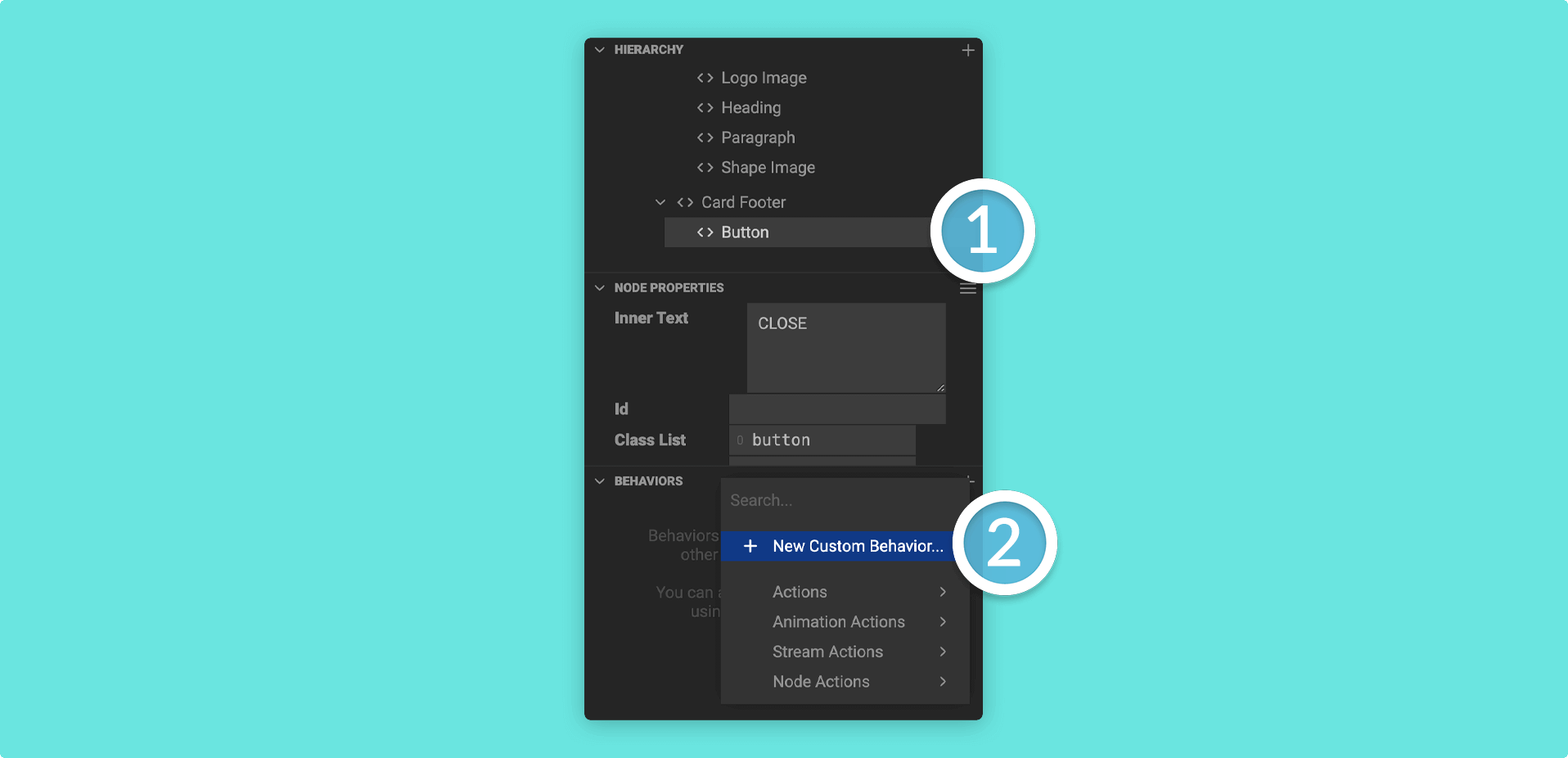
1. Click on your button in the Hierarchy and then find the Behaviors Panel. Click on the plus (+) icon in the Behaviors Panel and then + New Custom Behavior.
2. Give your custom behavior a name and then click on Create.
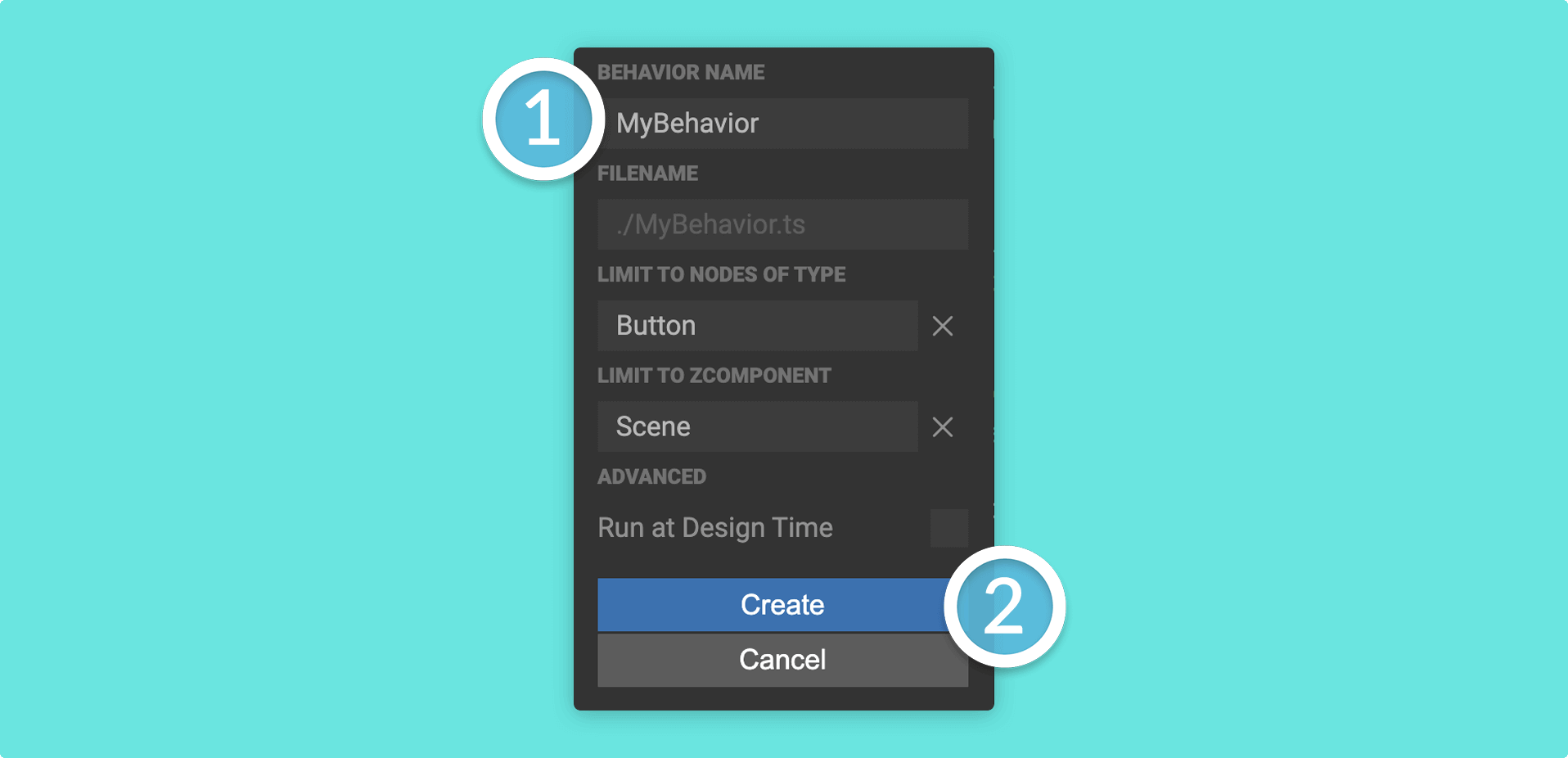
If you want your custom behavior to take effect in the Mattercraft editor, check the Run at Design Time box.
3. Head to the Left Menu and double click on your custom behavior to open it in the Mattercraft scripting environment.
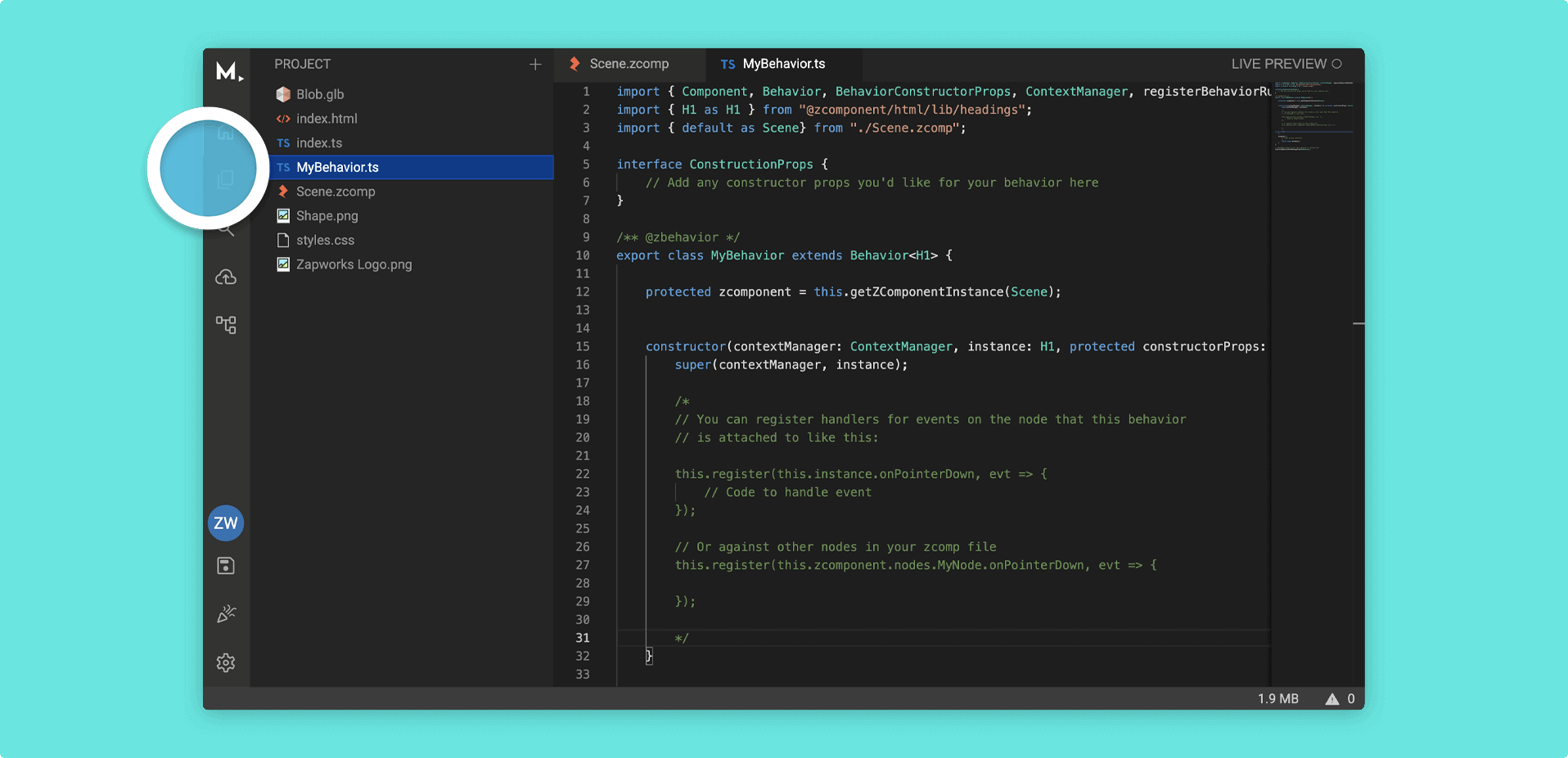
You can also open the script by right clicking on it in the Left Menu and going to Open to the Side
4. Add a method with the @zRegister decorator to handle click events, and call your timeline:
@zRegister('onClick')private _handleClick() { this.zcomponent.animation.layers.myLayer.clips.myTimeline.play();}Taking care to replace myLayer and myTimeline with your actual layer and timeline.
You may need to use
'onPointerDown'instead of'onClick', depending on the node you are using as a button.
5. Your full behavior should look something like this:
import { Behavior, zBehavior, zRegister } from '@zcomponent/core';import { Button } from '@zcomponent/html/lib/button';import Scene from './Scene.zcomp';
@zBehavior({ icon: 'touch_app' })export class ButtonBehavior extends Behavior<Button> {    protected zcomponent = this.getZComponentInstance(Scene);
    @zRegister('onClick')    private _handleClick() {        this.zcomponent.animation.layers.myLayer.clips.myTimeline.play();    }}