
Creating a timer
A timer behavior uses @zOnBeforeRender to run code on every frame. By recording the start time as a private property and comparing it against Date.now() each frame, you can track elapsed time and update a text node with the result:
private _startTime = Date.now();
@zOnBeforeRender()private _update() {    const elapsed = ((Date.now() - this._startTime) / 1000).toFixed(1);    this.zcomponent.nodes.myTimerText.text = `${elapsed}s`;}
Date.now()returns the current time in milliseconds. Dividing by 1000 converts this to seconds.
Custom timer Behavior
Section titled “Custom timer Behavior”This tutorial will walk you through creating a timer that starts when the experience loads and counts up in seconds.
This tutorial assumes that a text node has already been added to the Hierarchy.
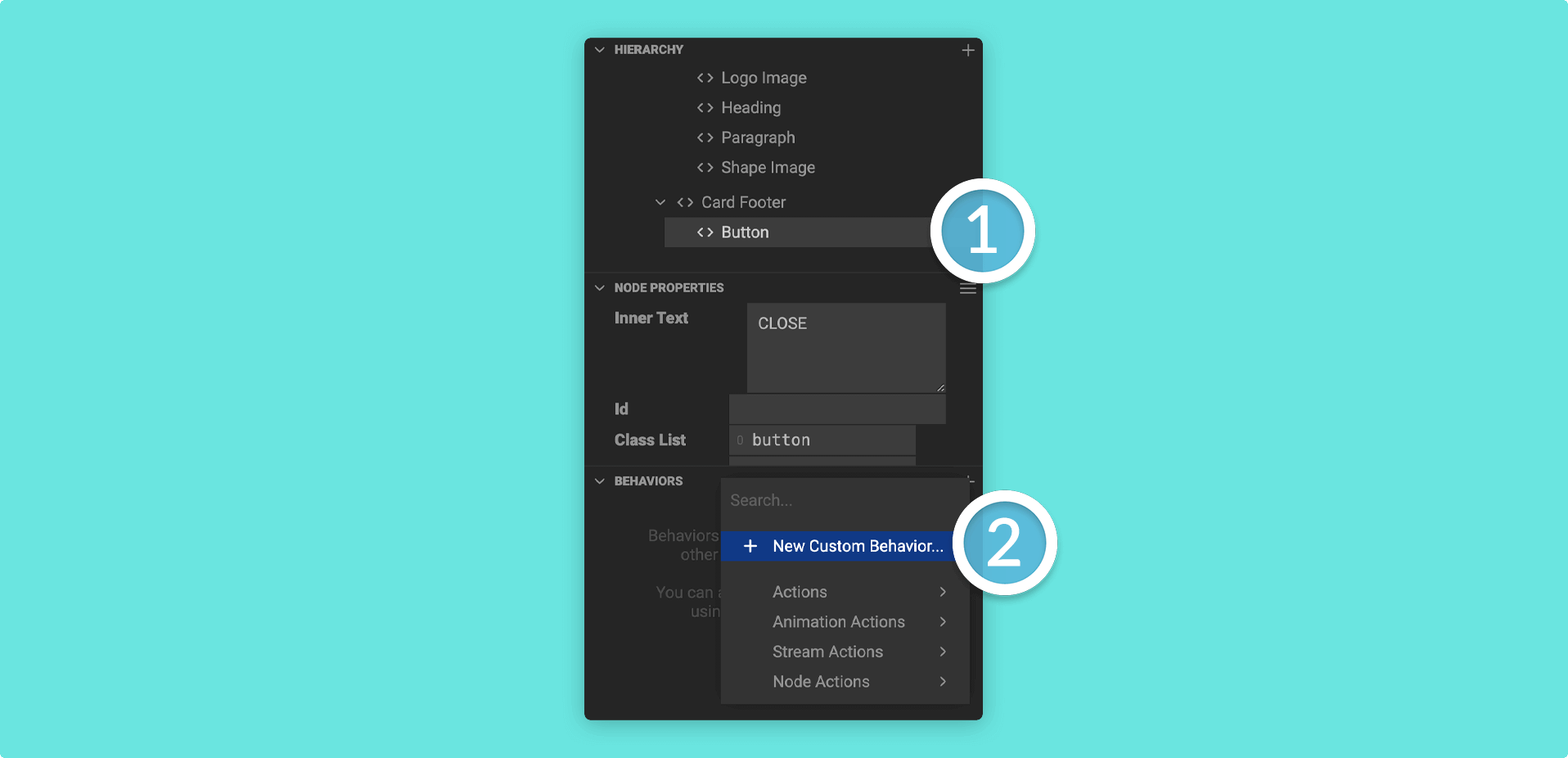
1. Select a node in the Hierarchy and then find the Behaviors Panel. Click on the plus (+) icon in the Behaviors Panel and then + New Custom Behavior.
2. Give your custom behavior a name and then click on Create.
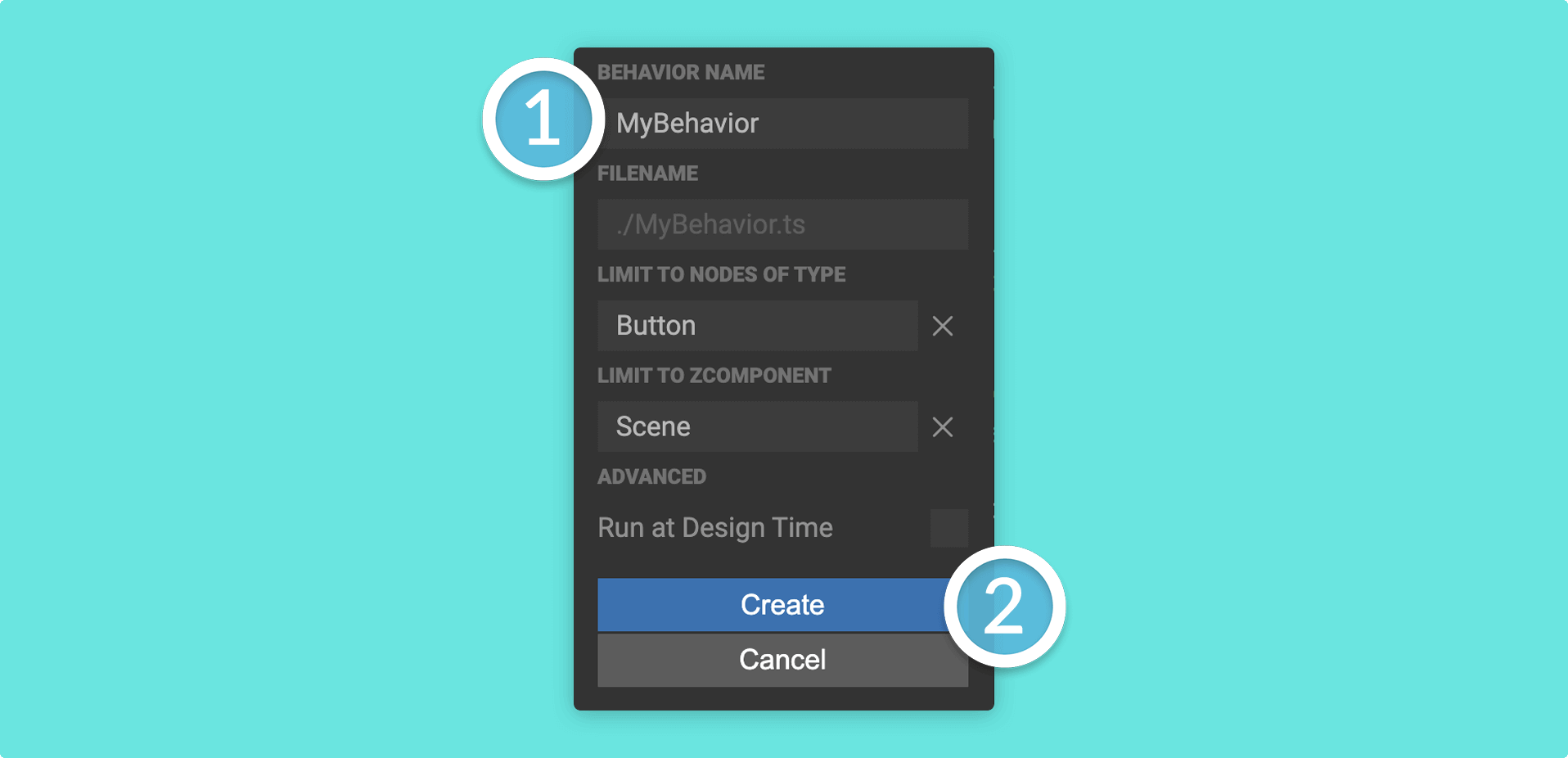
If you want your custom behavior to take effect in the Mattercraft editor, check the Run at Design Time box.
3. Head to the Left Menu and double click on your custom behavior to open it in the Mattercraft scripting environment.
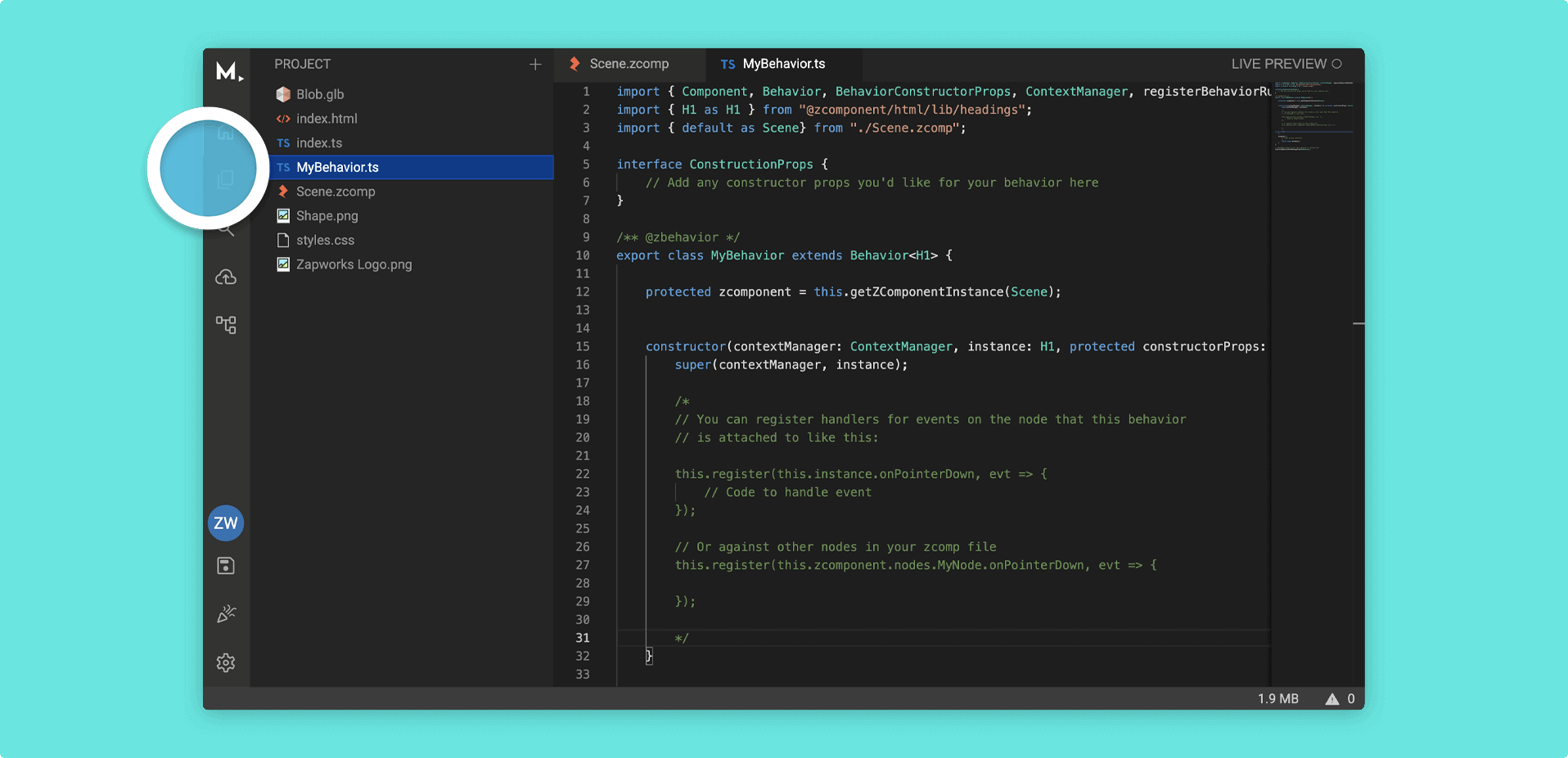
You can also open the script by right clicking on it in the Left Menu and going to Open to the Side
4. Record the start time as a private property, then update the text node on every frame using @zOnBeforeRender:
private _startTime = Date.now();
@zOnBeforeRender()private _update() {    const elapsed = ((Date.now() - this._startTime) / 1000).toFixed(1);    this.zcomponent.nodes.myTimerText.text = `${elapsed}s`;}
Taking care to replace myTimerText with the name of your actual text node.
5. Your full behavior should look something like this:
import { Behavior, zBehavior, zOnBeforeRender } from '@zcomponent/core';import Scene from './Scene.zcomp';
@zBehavior({ icon: 'timer' })export class TimerBehavior extends Behavior<Scene> {    protected zcomponent = this.getZComponentInstance(Scene);
    private _startTime = Date.now();
    @zOnBeforeRender()    private _update() {        const elapsed = ((Date.now() - this._startTime) / 1000).toFixed(1);        this.zcomponent.nodes.myTimerText.text = `${elapsed}s`;    }}