
Face Tracking
Face Tracking can detect and track digital content to the user’s face. This is great for building face-filter experiences which allow users to try on different virtual glasses or hats for example.
We recommend coupling face tracked experiences with Screen UI components to make the most out of your experiences.
Using Face Tracking
Section titled “Using Face Tracking”When you create your Designer experience, you will be asked whether you want your first scene to be World, Image, or Face tracked.
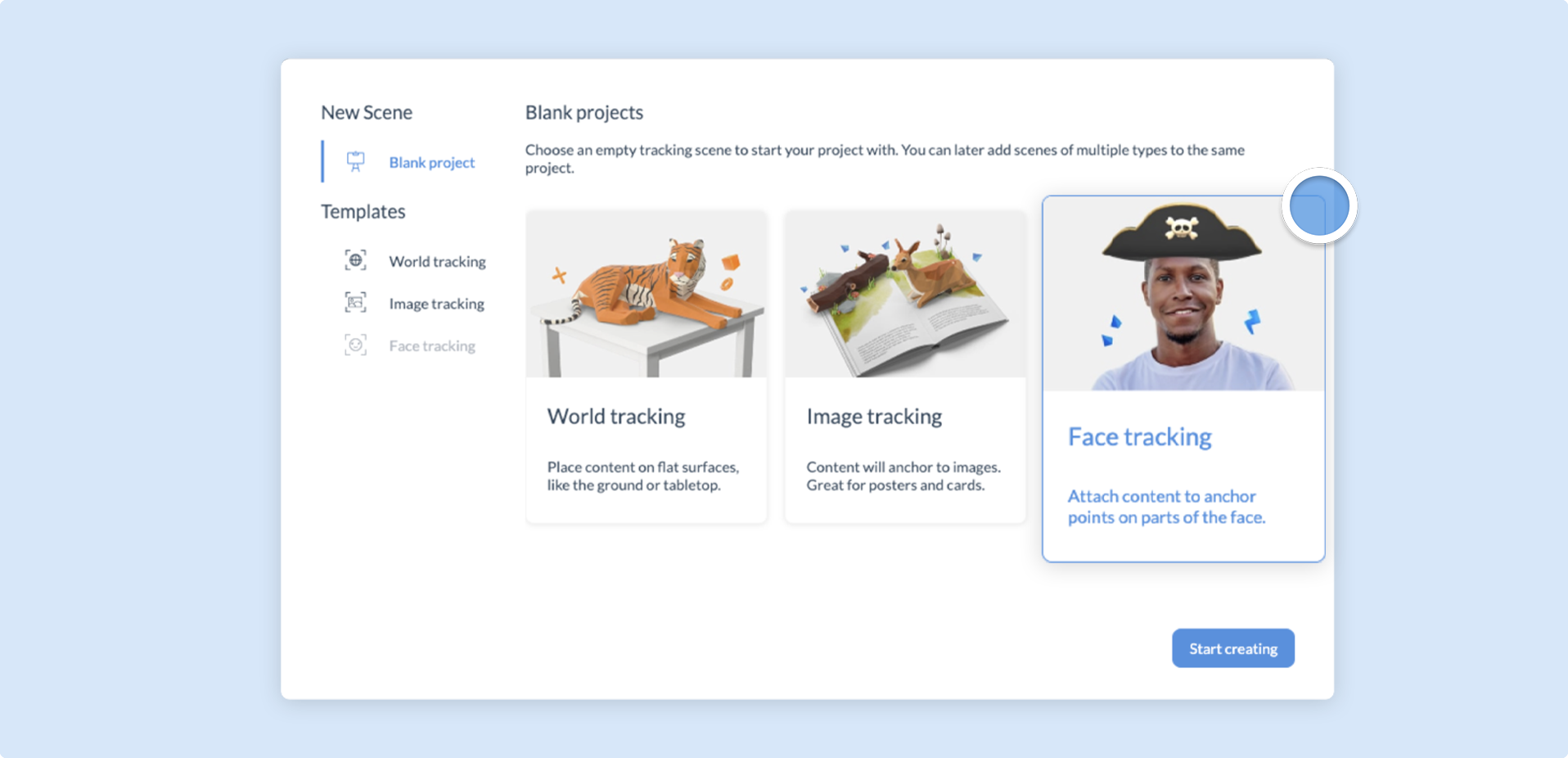
Upon selecting Face Tracking, your scene will automatically be switched to 3D mode, with a head mesh displayed on the canvas to indicate where to place your content.
The head mesh will automatically hide content inside the head.
Attachment points
Section titled “Attachment points”In addition to tracking the center of the head (known as the origin), you can use Attachment points to track content from various places on the user’s face. These attachment points will remain accurate, even as the user’s expression changes.
To assign a component to an attachment point, simply click and drag over the highlighted attachment point.
The following attachment points are available:
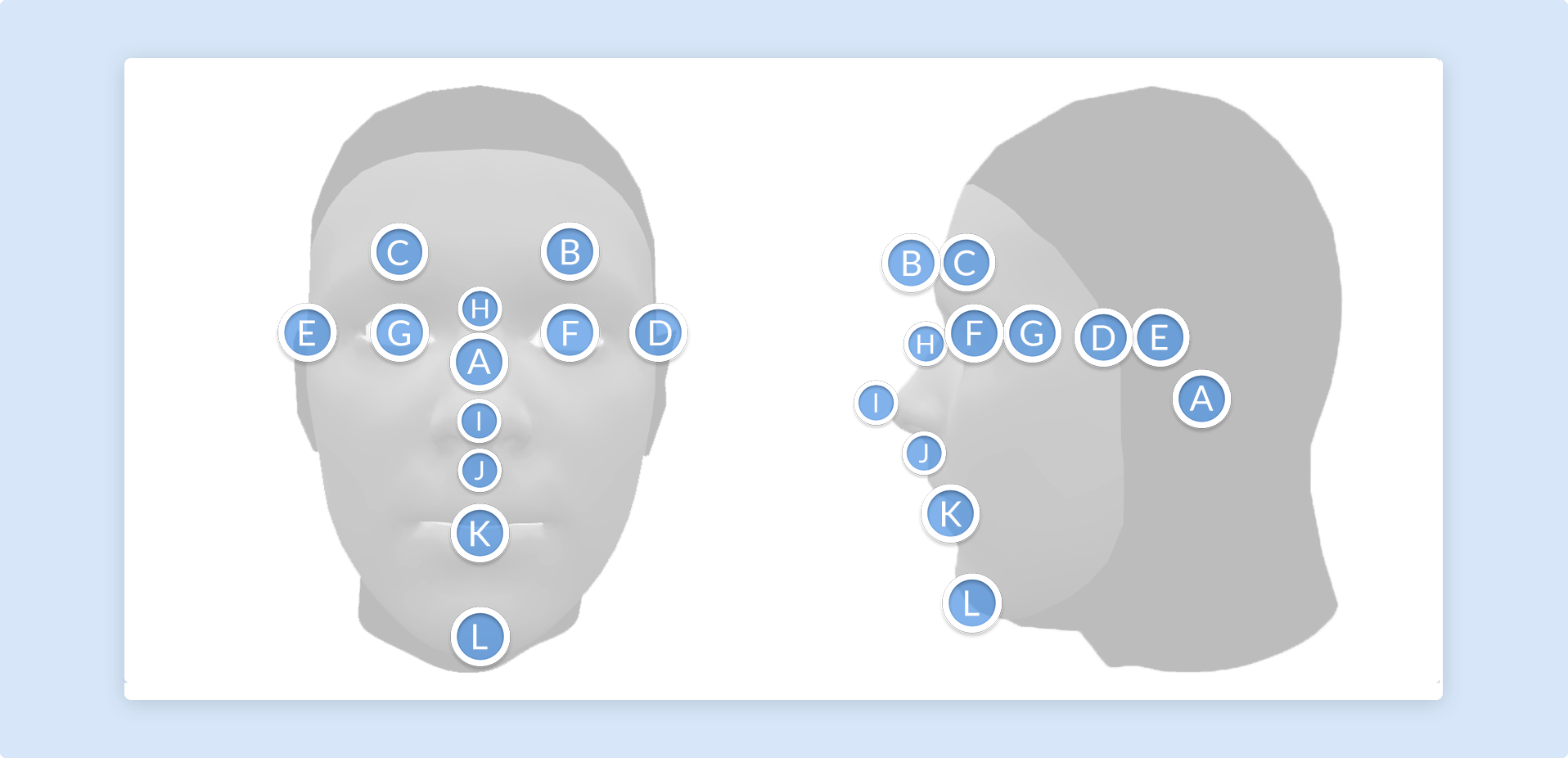
Note that ‘left’ and ‘right’ here are from the user’s perspective in the experience.
| Attachment point | Diagram ID |
|---|---|
| Origin | A |
| Left eyebrow | B |
| Right eyebrow | C |
| Left ear | D |
| Right ear | E |
| Left eye | F |
| Right eye | G |
| Nose bridge | H |
| Nose tip | I |
| Nose base | J |
| Bottom lip | K |
| Chin | L |
You can change a component’s attachment point at any time. To do so, click on your chosen component and then go to the Project Properties Panel. Find the Attachment points drop-down menu and then select a new attachment point.
Face Events
Section titled “Face Events”The head mesh allows you to run Actions via varying facial movements. The following table describes these movements:
| Trigger | Description |
|---|---|
| On mouth open | When the user opens their mouth. |
| On head tilt left | When the user tilts their head to the left of the screen. |
| On head tilt right | When the user tilts their head to the right of the screen. |
| On head shake | When the user tilts and/or moves their head from side to side in quick succession. |